
Getting AI video tools to produce results that match your creative vision can feel like trial and error. You describe what you want, generate a video, and end up with something close but not quite right.
The lighting's off, the motion feels wrong, or the composition doesn't capture what you imagined.
The bridge between your imagination and AI-generated output is effective prompting. While AI video generation has advanced dramatically, the quality of your results still depends on how well you communicate your vision to the model.
This is where understanding AI video prompts becomes essential.
Modern AI video platforms have evolved beyond simple text input. Tools like LTX Studio now offer advanced prompting capabilities including frame-level control, visual references, and precise timing adjustments.
This guide will walk you through everything you need to know about AI video prompts, from fundamental concepts to professional techniques that deliver studio-quality results.
What is an AI Video Prompt?
An AI video prompt is a text instruction that guides AI models to generate specific video content. Think of it as creative direction for an AI filmmaker. Your prompt tells the AI what to create, how it should look, how elements should move, and what atmosphere to establish.
At its most basic, a prompt might be as simple as "a cat walking through a garden." But effective prompting goes much deeper.
Professional-level prompts specify camera angles, lighting conditions, motion patterns, composition details, and stylistic choices that shape every aspect of the generated video.
Modern AI video tools have evolved from basic text-to-video generation to multi-modal prompting systems.
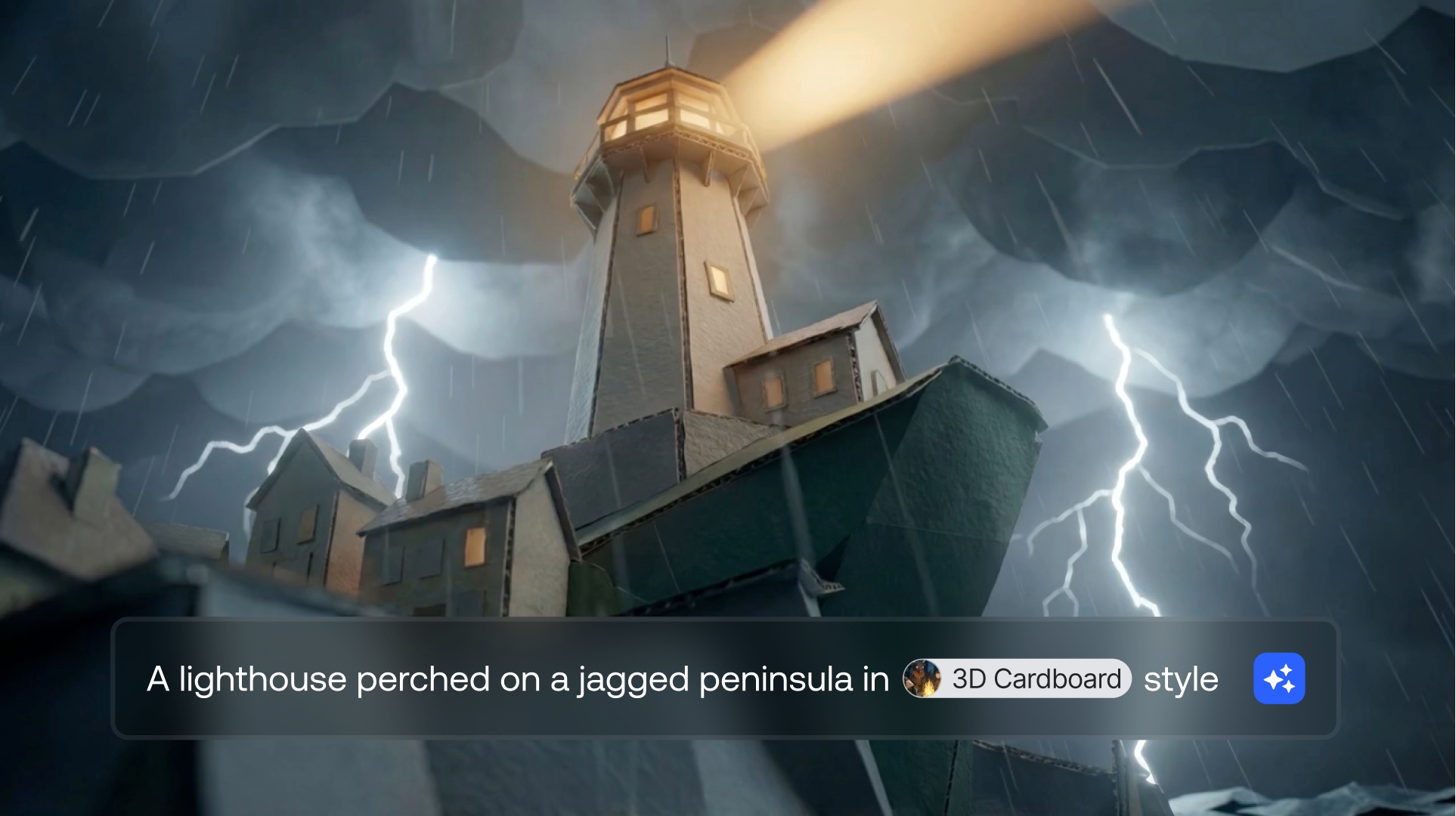
Instead of relying solely on text descriptions, platforms like LTX Studio allow you to combine written prompts with visual references and frame-by-frame control.
This means you can upload reference images showing the exact style, composition, or subject matter you want, then use text prompts to describe motion and timing.
The evolution from pure text input to multi-modal prompting represents a significant leap in creative control. You're no longer limited by your ability to describe visual concepts with words.
You can show the AI exactly what you want while using text to define how those elements should behave and evolve over time.
How to Write AI Video Prompts
Writing effective AI video prompts follows a structured approach. While there's room for creativity and experimentation, understanding the core framework helps you consistently achieve better results.
The Anatomy of an Effective Prompt
Every strong video prompt contains several essential elements that work together to guide the AI toward your vision:
Subject: What or who is the focus of your video? Be specific about the main element viewers should notice. Instead of "a person," specify "a woman in her 30s wearing a blue jacket."
Action: What's happening in the scene? Describe movement and behavior clearly. "Walking slowly" tells the AI more than just "walking."
Setting: Where does this take place? Environmental details establish context and atmosphere. "Urban street at sunset" creates a different mood than "urban street at midnight."
Camera Movement: How should the camera behave? Specify angles, movements, and framing. "Slow dolly forward" produces different results than "handheld tracking shot."
Lighting: What's the lighting quality and direction? This dramatically affects mood. "Soft natural window light" versus "harsh overhead fluorescent lighting" creates entirely different feels.
Style: What's the overall aesthetic? Reference specific looks like "cinematic," "documentary," "commercial," or artistic movements.
The key is layering these elements in a logical order. Start with your main subject, then add contextual details, followed by technical specifications like camera work and lighting.
This structure helps the AI prioritize information correctly.
Balancing Specificity and Creative Freedom
One of the trickiest aspects of prompting is knowing when to be detailed and when to leave room for the AI's interpretation. Overly rigid prompts can produce stiff, unnatural results.
Too vague, and you'll get unpredictable outputs that miss your vision.
Be specific about elements that are critical to your vision. If brand colors, specific products, or particular compositions are essential, describe them in detail.
For supporting elements and atmospheric touches, broader descriptions often work better, allowing the AI to fill in natural details that enhance the overall scene.
Pro Tip: The Progressive Detail Approach
Start with a basic prompt covering the essentials, generate a video, then refine by adding more specific details in your next iteration.
This progressive approach helps you discover which details matter most for your particular vision while avoiding over-complication from the start.
Writing Effective Text Prompts for Video Generation
Let's break down the mechanics of crafting strong text prompts with concrete examples showing the difference between weak and strong approaches.
Weak Prompt:
A product shot
Problem: Too vague. No information about the product, setting, lighting, or desired mood. The AI has too many options and will likely produce generic, unusable results.
Strong Prompt:
Close-up product shot of a stainless steel water bottle on a minimalist white surface, soft diffused lighting from the left, slow 360-degree rotating camera movement, clean modern aesthetic, high-end commercial photography style
Why it works: Specifies the product, surface, lighting direction and quality, camera movement, and overall style. The AI has clear direction while still having room to create natural, professional-looking results.
Weak Prompt:
Person walking down a street looking at their phone
Problem: Lacks visual specificity. No indication of time of day, urban environment type, character details, or mood. Results will be inconsistent and unpredictable.
Strong Prompt:
Wide shot of a young professional in business casual attire walking down a modern urban street at dusk, looking down at phone screen with concerned expression, warm streetlight glow, camera tracking alongside at medium distance, cinematic depth of field with softly blurred background
Why it works: Establishes character details, specific timing, emotional state, lighting atmosphere, and camera behavior. The AI can create a cohesive scene with clear storytelling intent.
Common Prompting Pitfalls to Avoid
Understanding what doesn't work is just as important as knowing what does. Here are frequent mistakes that derail otherwise good prompts:
- Conflicting Instructions: Asking for both "fast-paced action" and "slow, contemplative mood" confuses the model. Keep your vision coherent.
- Overly Complex Sequences: Trying to describe too many different actions in one prompt often results in none of them being executed well. Break complex sequences into multiple shots.
- Vague Descriptors: Words like "nice," "good," or "interesting" don't give the AI actionable direction. Replace with specific visual or stylistic terms.
- Missing Motion Information: Static descriptions without motion cues can produce flat, lifeless videos. Always specify how elements should move or how the camera should behave.
- Ignoring Timing: Not considering how much can realistically happen in your video's duration. Cramming too much into a short clip produces rushed, unsatisfying results.
AI Video Prompt Examples
Seeing effective prompts in action helps develop your own prompting skills. These examples span different use cases and demonstrate how to apply the principles we've discussed.
Brand Marketing Example
Use Case: Tech product announcement
Sleek smartphone emerging from darkness into dramatic spotlight, rotating slowly to showcase all angles, premium metallic finish catching light, minimalist black background, smooth camera zoom toward product details, high-end commercial aesthetic with shallow depth of field
Why it works: Creates premium feel appropriate for product launches. Specifies lighting drama, motion pattern, and brand-appropriate aesthetic. The rotation allows viewers to see the product comprehensively.
Narrative Storytelling Example
Use Case: Character introduction scene
Medium close-up of elderly craftsman carefully examining a wooden sculpture in his workshop, afternoon sunlight streaming through dust-filled air, warm golden hour lighting, slight camera push-in emphasizing focused expression, shallow focus on weathered hands and detailed wood grain, documentary-style naturalistic feel
Why it works: Establishes character through action and environment. The lighting creates atmosphere, camera movement draws attention to important details, and the style matches the intimate, observational nature of the moment.
Social Media Content Example
Use Case: Fashion/lifestyle short-form content
Dynamic overhead shot of diverse hands reaching for colorful smoothie bowls on bright white table, vibrant tropical fruit toppings, natural daylight from above, quick energetic movements, fresh and appetizing presentation, vertical 9:16 format optimized for mobile viewing, trendy lifestyle content aesthetic
Why it works: Format-specific for social platforms. High energy matches platform expectations. Color and composition optimized for thumb-stopping visual appeal.
Product Demonstration Example
Use Case: Features showcase
Close-up sequence of hands demonstrating smartwatch features, tapping through interface with smooth transitions, clean modern workspace background slightly out of focus, soft professional lighting eliminating harsh shadows, slow methodical pacing allowing clear view of each action, Apple-style product demo aesthetic
Why it works: Pacing allows viewers to understand functionality. Reference to established style (Apple) gives clear aesthetic direction. Attention to lighting and background ensures product remains focal point.
AI Video Prompt Tips
These actionable tips will help you consistently improve your prompting results, regardless of your experience level.
1. Master Camera Angle Vocabulary
Familiarize yourself with standard cinematography terms. Using "Dutch angle," "bird's eye view," "eye-level tracking shot," or "low angle hero shot" communicates instantly recognizable framing to the AI. This technical vocabulary produces more predictable, professional results than vague descriptions like "interesting angle."
2. Use Lighting Descriptors Strategically
Lighting dramatically affects mood and quality. Terms like "golden hour," "overcast softbox," "harsh midday sun," "neon-lit," or "rim-lit silhouette" give the AI clear direction on both technical setup and emotional atmosphere. Don't leave lighting to chance.
3. Specify Motion Direction and Speed
Instead of just "moving," describe how things move: "drifting slowly left to right," "rapid vertical ascent," "gentle swaying motion," or "sharp whip pan." Direction and speed details ensure the AI generates motion that matches your intended energy and pacing.
4. Reference Established Artistic Styles
Mentioning recognized styles helps the AI understand your aesthetic goals. References like "Wes Anderson symmetry," "noir cinematography," "documentary realism," or "music video energy" tap into visual conventions the model recognizes, producing more cohesive stylistic results.
5. Iterate Systematically
Don't start over from scratch each time. Keep successful prompt elements and adjust one variable at a time. This systematic approach helps you identify which changes improve results and builds your understanding of how specific prompts affect output.
6. Leverage Visual References When Possible
Text has limits. When your vision is highly specific visually, use reference images alongside text prompts. A single reference image can communicate more about desired style, composition, or mood than paragraphs of description.
7. Consider Frame-by-Frame Planning
For complex shots, think through the progression of frames. Planning how your scene evolves from beginning to end helps you write prompts that account for timing, transitions, and narrative progression rather than just describing a static moment.
8. Understand Your Tool's Strengths
Different AI video platforms excel at different things. LTX Studio specializes in brand consistency and professional-quality output. Knowing your tool's capabilities allows you to write prompts that leverage its strengths rather than fighting its limitations.
9. Avoid Over-Prompting
More detail isn't always better. Extremely long, complex prompts can confuse models or produce overworked results. Focus on the most important elements and trust the AI to fill in supporting details naturally.
10. Manage Expectations Realistically
AI video generation has limitations. Extremely complex physics, intricate hand movements, or highly detailed text within videos may not generate perfectly. Understanding current capabilities helps you write prompts the technology can successfully execute.
AI Video Prompting in LTX Studio
LTX Studio takes AI video prompting beyond basic text input with a comprehensive suite of tools designed for professional creators.
The Gen Space serves as your creative command center, where traditional prompting meets advanced control systems that give you unprecedented precision over your AI-generated videos.
What sets LTX Studio apart is its recognition that text prompts alone, while powerful, don't provide the complete creative control professionals need.
The platform integrates three key capabilities that transform how you direct AI video generation: Shot Control for frame-level precision, Multi-Reference for visual guidance, and intelligent model selection for optimal results.
{{blog-banner-video05}}
Frame-Level Prompting
Shot control represents a fundamental shift in how you can direct AI video generation. Instead of writing a single prompt and hoping the AI interprets it correctly, Shot Control lets you define exactly how your video should evolve across multiple frames within a single shot.
This frame-based approach mirrors traditional filmmaking workflows where directors and cinematographers plan shots frame by frame.
In LTX Studio, you're not just describing what you want to see, you're choreographing how the visual narrative unfolds over time.
Multi-Frame Direction
Shot frames allows you to add multiple frames to guide how your video evolves. Think of each frame as a checkpoint in your visual story.
You might start with a wide establishing shot, add a frame showing the camera moving closer to your subject, then finish with a tight close-up, all within a single generation.
There's no limit to how many frames you can add, giving you complete freedom to plan complex camera movements and visual progressions.
Videos can currently be generated up to 15 seconds, providing substantial creative canvas for your frame-based direction.
A key technique for smooth results is placing visually similar frames close together in your timeline. This helps the AI create natural transitions rather than jarring cuts between drastically different frames.
Precise Timing Control
Shot beat lets you define exact timing for actions and transitions during your shot. This capability is crucial when you need to sync visual moments with dialogue, music, or specific narrative beats.
Instead of leaving timing to chance, you can specify that a door opens at exactly 3 seconds, a character turns at 5 seconds, or a product reveal happens at 7 seconds. This precision transforms AI video generation from a general creative tool into a professional production instrument.
Complex Camera Choreography
Traditional prompting struggles with complex camera movements. Describing a shot that starts with a pan, transitions to a zoom, then finishes with a tilt is difficult to convey clearly in text alone.
Multi-Motion shot solves this by allowing you to combine multiple camera movements within a single shot using frame control.
You can choreograph sophisticated camera work that rivals traditionally filmed sequences, all through an intuitive frame-based interface.
This capability is particularly valuable for creating dynamic storytelling moments that require more than static framing or simple movements.
Product reveals, character introductions, and environmental establishing shots all benefit from multi-motion capabilities.
Best Practices for LTX Studio Prompting
To get the most out of LTX Studio's advanced capabilities, follow these proven practices:
- Choose the Right Model: LTX Studio offers multiple video generation models — LTX-2.3 Pro for high-quality output with strong prompt adherence, Veo 3.1 and Kling 3.0 Pro for cinematic results with distinct motion characteristics, and Seedance 2.0 for sharper motion and stronger prompt adherence. For image-to-video workflows where visual consistency is critical, FLUX.2 Pro and Nano Banana Pro anchor the image references that drive the generation. Match the model to the output you need — not every model suits every style.
- Combine Text and Visual References: Don't choose between text prompts and reference images—use both. Text describes action, timing, and motion while images define style, composition, and visual specifics. Together, they provide complete creative direction.
- Leverage Shot Control for Professional Timing: When creating content that needs to feel polished and intentional, use Shot Control to define precise timing and motion. This elevates AI-generated content from "interesting" to "professional-grade."
- Use Camera Motion Presets: LTX Studio now includes camera motion presets in Gen Space — dolly, crane, handheld, and more — that apply cinematic movement to any generation without adding motion language to your prompt. Use these as a starting point and override with prompt-level motion descriptors when you need something more specific.
- Use Retake for Targeted Shot Refinement: If a generated video is mostly right but one moment is off, Retake lets you select a 2–16 second segment and regenerate just that portion while preserving the surrounding footage. This turns what used to be a full re-generation into a precise surgical edit — saving credits and keeping the parts of the shot that already work.
- Experiment with Frame Timing: The pacing of frame transitions dramatically affects the feel of your video. Experiment with different timing intervals to find the rhythm that matches your vision.
- Use Shot Types and Angles in Prompts: Even when using visual references, include camera terminology in your text prompts. Specifying "low angle" or "over-the-shoulder" helps the AI understand spatial relationships and framing intent.
- Start Simple, Add Complexity: Begin with basic frame structures and reference images, then add layers of detail as you refine. This progressive approach helps you understand how each element affects the final output.
Conclusion: Start Creating with Better Prompts
Effective AI video prompting combines clear text instructions, strategic visual references, and frame-level control when needed.
As you've seen throughout this guide, it's both an art and a science—requiring creativity, technical understanding, and systematic experimentation.
The most important takeaway is that AI video prompting is a learnable skill that improves dramatically with practice.
Your first attempts might not match your vision perfectly, but each generation teaches you something about how the AI interprets different types of instructions.
Pay attention to what works, refine what doesn't, and gradually build a personal library of effective prompting techniques.
Modern tools like LTX Studio have evolved far beyond simple text-to-video generation. By combining traditional prompting with advanced features like Shot Control and Multi-Reference, you gain professional-level control over your AI-generated videos.
This isn't about replacing creativity with technology—it's about giving you more powerful tools to realize your creative vision.
The best results come from understanding your tools, knowing when to be specific and when to allow creative flexibility, and not being afraid to iterate.
Start with the fundamentals covered in this guide, experiment with different approaches, and gradually incorporate advanced techniques as you become more comfortable.


Maximize your creative potential with AI-powered tools
Maximize your creative potential with AI-powered tools






.png)



