


AI Movie Maker & Generator
The AI film maker for creating movies from script to screen. Build storyboards, generate scenes, control motion, and export pitch decks in one place.







Script to Storyboard
Drop in a script or idea and get a full storyboard. Scenes, cameras, and characters generated automatically.

Real-Time Collaboration
Work with your team and partners in one shared workspace. See edits live, leave feedback, stay in sync.

Auto Pitch Deck
Export a polished pitch deck instantly. Your project becomes presentation-ready with one click.
AI-powered movie editor
Create movies with AI from start to finish. Turn scripts into storyboards, generate scenes with controlled framing and motion, use Retake to refine specific shots, and finish your edit in the timeline.


Design your perfect cast with AI
Build and manage characters with Elements to keep your cast consistent. Control appearance, styling, and voices to match your story, no continuity breaks across scenes.
Sound that sets the scene
Add voiceovers, dialogue, sound effects, and music directly to your project. Every audio element syncs precisely where you need it.

From script to screen
Upload a script or idea and watch it become a storyboard. Collaborate in real time, refine your scenes, then export a pitch deck or editable video file.
How can I make a movie with AI?
Start for Free- 01
Start with an idea
Upload a script or type a prompt. AI generates a complete storyboard with scenes and characters.
- 02
Refine your storyboard
Adjust prompts, shot types, styles, and sound. Use Elements to keep visuals consistent across scenes.
- 03
Motion & final touches
Control camera motion and pacing. Regenerate specific moments with Retake until they're perfect.
- 04
Export with ease
Export as MP4, pitch deck, or XML file for further editing.
Explore more powerful features that take your vision from concept to final cut.
Discover more features

YouTube Video Editor
Create scroll-stopping YouTube content that grows your audience and your brand.
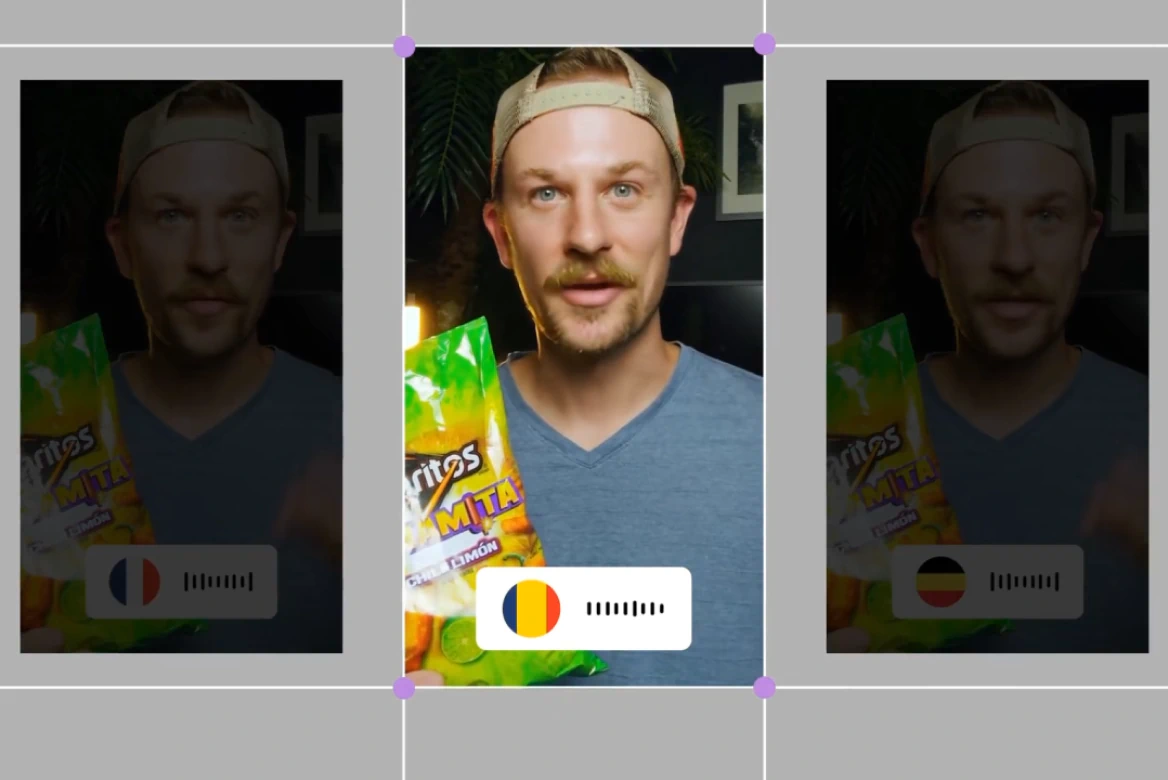
UGC & Ad Editor
Create high-converting UGC and ad videos with our AI post-production tools.
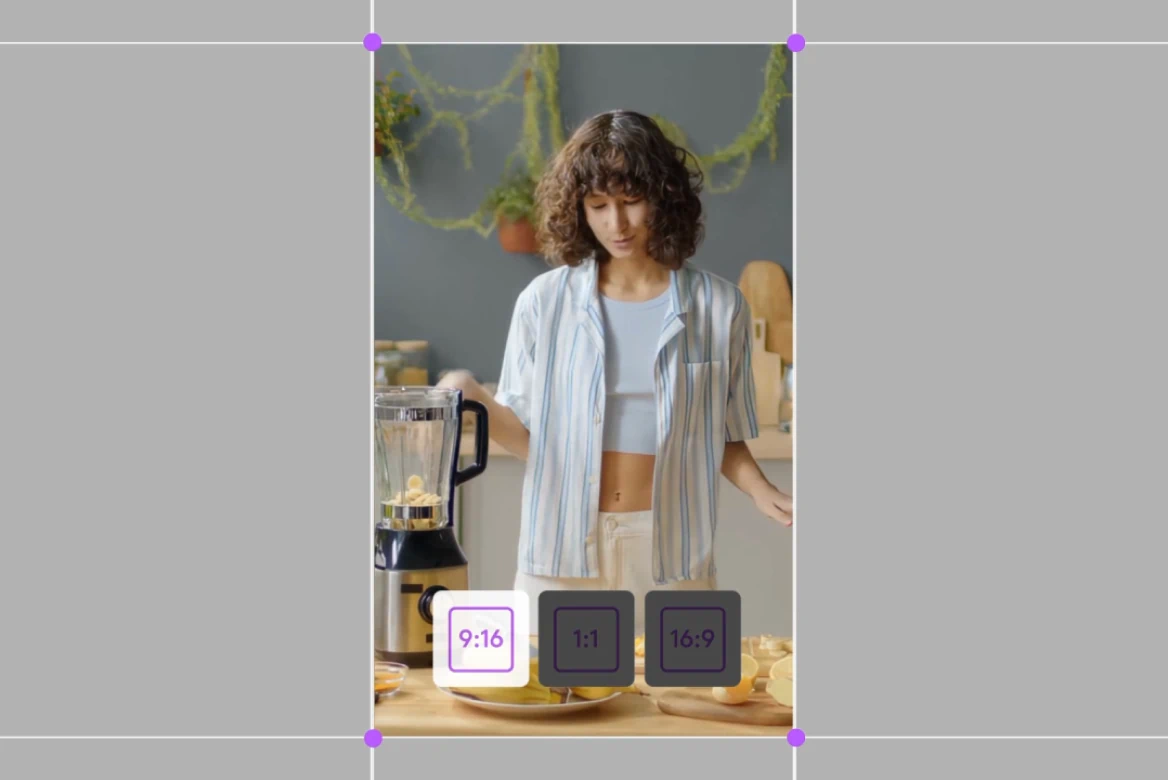
TikTok Video Editor
Create viral content, add subtitles, and resize for any platform.
Instagram Video Editor
Professional Instagram video editor. Create viral Reels, Stories, and posts.

AI UGC Generator
Generate high-performing AI UGC ads without creators or filming.

AI Anime Generator
Generate custom anime characters, scenes, and styles in seconds. No drawing skills needed, just your ideas.

Promo Video Maker
Learn how to use tools that streamline editing, enhance visuals, and deliver high-quality results for any marketing need.

Movie Trailer Generator
Learn how LTX Studio can be used to create a movie trailer with ease.

Movie Pitch Deck Generator
Generate polished pitch decks for movies and tv shows to easily visualize your creative idea.

AI Ad Generator
Easily create ads with AI to streamline your creative marketing process.

Cartoon Video Maker
Bring your animated concept to life with our AI cartoon video generator.

Music Video Maker
Make your own music video with the help of LTX Studio.

AI Storyboard Generator
Discover how to create your own storyboard with AI and scale your pre-production process.
Related blog posts

Prompting Long Shots with LTX-2: How to Build 20-Second Cinematic Moments
Check out the prompts we use generate 20-second shots with LTX-2.
How Clutch Used LTX Studio to Deliver Award-Winning Results at NYFAi
This case study explores how LTX Studio’s AI tools empower marketing and advertising teams to create cinematic, emotionally engaging campaigns—without traditional production barriers or costs.

Best Filmmaking Software of 2026: Top AI Tools & Models
The best filmmaking software of 2026, from LTX Studio to Google Veo 3, brings AI-powered scriptwriting and cinematic video generation into a single streamlined platform.

From Movie CGI to AI: How LTX Studio Is Redefining Visual Storytelling
From blockbuster CGI to browser-based AI, discover how LTX Studio is making cinematic storytelling more accessible.
FAQs
What is LTX Studio’s AI movie maker tool?
LTX Studio is an all-in-one tool that enables you to take any idea and create cinematic visuals. Simply input a text prompt and generate stunning movie clips tailored to your vision, offering unmatched creativity and ease.
How should I write the text prompt to create the perfect movie shots?
To craft the ideal movie shots, write clear and descriptive prompts – the more specific you are, the better the results. Include details about the scene, mood, camera angles, and style. For example: “A dramatic sunset over the ocean with a slow pan camera movement.”
What are the different AI tools for filmmaking offered by LTX Studio?
LTX Studio offers a range of AI tools for filmmakers, including the motion editor, style reference, generative fill and erase, and text-to-scene tools. These features allow you to design, refine, and animate your films with ease and precision.
Can I create a short movie with LTX Studio’s AI?
Yes! LTX Studio is perfect for creating short movies. Its intuitive tools and AI-powered features allow you to design scenes, edit camera movements, and add dynamic storytelling elements to bring your vision to life.
Does LTX Studio’s AI support movie creation in various languages?
Currently, you can work with LTX Studio in any language of your choice but the results will be translated into English.
Can I use static images to create my movie?
Yes, LTX Studio can transform your images into dynamic scenes, adding motion and depth to create captivating video content.
Is LTX Studio’s AI movie generator free?
LTX Studio offers a free tier that gives you access to all features. Depending on your exact use and needs, paid plans are available that provide more computing time.
Is LTX Studio a free movie maker?
Yes, LTX Studio includes a free tier with full access to all our AI filmmaking features. You can start creating movies immediately and explore the complete platform, with the option to purchase additional compute time through paid plans if needed.
Is LTX Studio an online movie maker?
Yes, LTX Studio runs entirely in your web browser on desktop. Log in and start producing cinematic content immediately—there's no need to download software or manage local installations.
Enterprise AI Video, Built for Scale
LTX Studio is an enterprise-grade AI video production platform that helps teams develop, produce, and deliver across modern, scalable workflows.
.png)



