%20(1).jpeg)

AI image generation has transformed creative workflows across industries, putting professional-quality visuals within reach for everyone from solo content creators to enterprise marketing teams.
But there's a catch: the quality of your AI-generated images depends entirely on the quality of your prompts. A vague instruction produces generic results, while a well-crafted prompt delivers exactly what you envision.
This comprehensive guide reveals the principles, techniques, and strategies behind effective AI image prompting.
Whether you're creating marketing assets, developing character designs, or producing video content, you'll learn how to communicate your creative vision to AI models and achieve consistent, professional results.
We'll also explore how LTX Studio's advanced features elevate image generation beyond what standard tools can deliver.
{{blog-banner-static02}}
What is AI Image Prompting?
AI image prompting is the practice of providing text-based instructions to generative AI models to create visual content. Think of it as a specialized form of communication where you translate your creative vision into language the AI can understand and execute.
At its core, a prompt serves as the bridge between imagination and execution. When you type "portrait of a woman," the AI doesn't just pull up a photograph from some database.
Instead, it synthesizes patterns from millions of training images to generate something entirely new based on your description. The specificity and clarity of that description determine whether you get a generic headshot or a nuanced piece that matches your exact vision.
Effective prompting matters because AI models interpret your words literally and probabilistically. They don't understand intent or context the way humans do.
If you request "a sunset" without additional details, the AI selects from the most statistically common sunset representations in its training data. You might get a beach scene when you wanted a mountain vista, or oversaturated colors when you envisioned something subtle and naturalistic.
Poor prompts waste more than just your time. They consume computational resources, exhaust credit allocations on platforms with token systems, and create friction in creative workflows.
Mastering prompt craft is not about memorizing magic formulas, it's about understanding how to describe visual concepts with the precision and detail that AI models require.
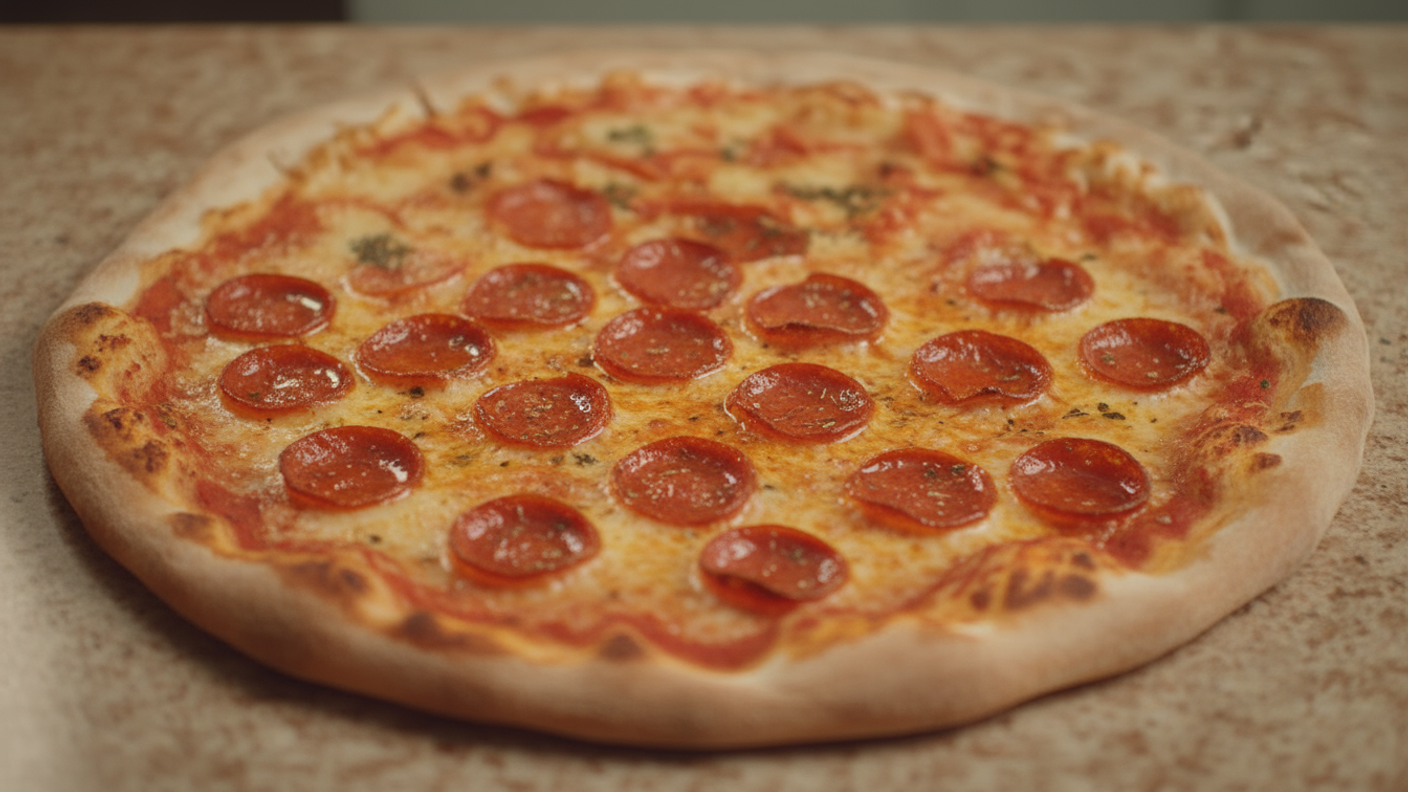
How to Write AI Image Prompts
Writing effective AI image prompts is a learnable skill that combines descriptive precision with strategic structure. The best prompts don't just tell the AI what to create—they guide it toward specific aesthetic, technical, and compositional choices that align with your creative vision.
Core Prompt Components
Every strong prompt includes these foundational elements:
Subject: The main focus of your image. Be specific about what you want to see. Instead of "a person," specify "a woman in her thirties wearing a business suit." Instead of "a building," describe "a modern glass office tower."
The subject is your anchor—everything else in the prompt builds around it.
Visual Style: The aesthetic approach that defines how your image looks. This includes artistic movements (impressionist, art deco, minimalist), media types (oil painting, pencil sketch, digital illustration), and artistic references (in the style of vintage photography, contemporary graphic design).
Style directives dramatically influence the AI's interpretation.
Composition and Framing: How elements are arranged within the frame. Use photography terminology: "close-up portrait," "wide-angle landscape," "bird's eye view," "over-the-shoulder shot."
Specify whether you want a centered subject, rule-of-thirds composition, or dynamic diagonal arrangement.
Lighting Conditions: Perhaps the most underutilized component that separates amateur from professional results. Describe lighting as you would for photography: "soft natural window light," "dramatic side lighting," "golden hour backlight," "studio lighting with rim highlights."
Lighting creates mood and depth.
Color Palette: Define your color approach. Specify "vibrant primary colors," "muted earth tones," "monochromatic blue palette," or "warm sunset colors." Color decisions reinforce mood and ensure visual consistency across multiple generations.
Technical Specifications: Include quality descriptors like "high resolution," "sharp focus," "detailed textures," or "professional photography." These terms signal to the AI that you expect technically polished outputs rather than rough sketches or low-fidelity results.
Basic Prompt Formula:
[Subject] + [Visual Style] + [Composition] + [Lighting] + [Color Palette] + [Technical Details]
A confident female entrepreneur in modern office attire, professional corporate photography style, medium shot with shallow depth of field, soft natural window lighting from the left, neutral tones with pops of teal, high resolution, sharp focus.
Advanced Prompting Techniques
Once you've mastered the basics, these sophisticated approaches give you even finer control:
Weighted Terms: Some platforms allow you to emphasize certain elements by adding weight modifiers. Placing important concepts first in your prompt naturally gives them more influence.
Surround critical elements with parentheses or use platform-specific syntax to increase their importance in the generation.
Negative Prompts: Equally important as what you want is what you don't want. Negative prompts tell the AI what to avoid. Common exclusions include "blurry, low quality, distorted, watermark, text, oversaturated, cluttered background."
This technique prevents common AI artifacts and maintains visual cleanliness. Learn more in our detailed guide on negative prompts.
Aspect Ratio Control: Specify dimensions that match your intended use. "16:9 aspect ratio" for video thumbnails, "1:1 square format" for social media posts, "9:16 vertical" for mobile-first content. Defining aspect ratios prevents unwanted cropping or stretching.
Layered Concepts: Build complexity by combining multiple descriptive layers. Start with your subject, add environmental context, specify atmospheric conditions, and finish with stylistic polish.
"A lone hiker on a mountain ridge [subject], surrounded by morning fog [environment], with distant peaks visible through the mist [detail], shot in the style of outdoor adventure photography [style], dramatic natural lighting [technical]."
Reference Terminology: Borrow language from photography, cinematography, and traditional art. Terms like "bokeh," "chromatic aberration," "chiaroscuro lighting," "forced perspective," and "tilt-shift effect" communicate sophisticated visual concepts that AI models recognize and can replicate.
.png)
Pro Tip: Balance Detail with Flexibility
While specificity improves results, over-constraining your prompts can limit the AI's creative interpretation. Leave room for the model to make aesthetic choices within your guidelines.
Instead of dictating every element, focus on the critical aspects that define your vision and let the AI handle supporting details.
AI Image Prompt Tips
These actionable strategies will immediately improve your prompting results:
- Start Broad, Then Refine: Begin with a general prompt to establish direction, then iteratively add specificity based on the initial results. This approach helps you understand how the AI interprets your concept before investing in detailed prompts.
- Use Descriptive Adjectives Strategically: Quality adjectives like "elegant," "rugged," "whimsical," or "stark" provide emotional and aesthetic context that guides the AI's stylistic choices. Choose adjectives that capture the mood you want to convey.
- Specify Artistic Styles and Movements: References to art history, photography styles, or design movements give the AI clear aesthetic frameworks. "Art nouveau illustration," "brutalist architecture," "film noir cinematography," or "Bauhaus design principles" communicate complex visual languages efficiently.
- Reference Photography Terms: Borrowing professional photography vocabulary improves technical quality. Terms like "shallow depth of field," "long exposure," "high dynamic range," "macro photography," and "low-key lighting" produce sophisticated results.
- Iterate Systematically: Change one variable at a time when refining prompts. This methodical approach helps you understand which elements influence the output and builds your prompt library faster than random experimentation.
- Maintain Consistent Terminology: When generating multiple related images, use identical phrasing for elements that should remain constant. Consistency in your prompts produces consistency in your outputs.
- Leverage Reference Images: When available, combine text prompts with visual references. Upload images that capture the style, composition, or mood you're targeting. This multimodal approach dramatically improves prompt accuracy.
- Consider Your End Use: Tailor technical specifications to your delivery platform. Web graphics might prioritize vivid colors and high contrast, while print materials require different color spaces and resolution considerations.
- Learn from Successful Prompts: Save and categorize prompts that produce great results. Build a personal library organized by use case, style, or subject matter. This becomes your reference guide for future projects.
- Don't Neglect Composition: Explicitly stating compositional choices prevents the AI from defaulting to centered, symmetrical arrangements. "Asymmetric composition," "negative space on the right," or "dynamic diagonal movement" create more visually engaging results.
AI Image Prompt Examples
Concrete examples demonstrate how prompt structure translates into visual results. Each example includes the full prompt, intended output, and an explanation of why the prompt works.
Weak Prompt
A product on a table
Too vague. Doesn't specify product type, table context, lighting, or desired aesthetic. Results will be generic and inconsistent.
Strong Prompt
Wireless earbuds in charging case on minimalist white marble surface, clean product photography, soft diffused studio lighting from above, white background, high key lighting, professional e-commerce style, sharp focus, high resolution
Specific product, defined surface, clear style reference, detailed lighting instructions, and technical requirements produce consistent, professional results.
Marketing Asset Example:
Modern coworking space with diverse team collaborating around laptop, bright and energetic atmosphere, contemporary interior design with plants and natural light, wide angle shot capturing the full environment, warm color palette with pops of brand blue, lifestyle photography style, natural window lighting, professional corporate imagery
Why it works: This prompt creates authentic-looking corporate imagery perfect for website headers, presentations, or marketing materials. It specifies the scene, mood, composition, color integration, and technical quality needed for professional use.
Character Design Example:
Character concept art of a cyberpunk street vendor, weathered features showing experience, wearing layered technical clothing with neon accents, medium shot from slightly low angle, dramatic neon lighting from surrounding signs, gritty urban backdrop slightly out of focus, digital illustration style with painterly details, muted color palette with bright cyan highlights
Why it works: Detailed character description with specific styling, lighting, and compositional choices creates a cohesive concept that could be used consistently across a project. The style and mood are clearly defined.
.png)
Architectural Visualization Example:
Modern sustainable office building exterior, featuring vertical gardens and solar panels, clean geometric design with glass and natural wood materials, photographed from street level looking up, golden hour lighting with warm sunset glow, blue hour sky beginning to show, architectural photography style, sharp focus with high detail
Why it works: Combines architectural specifics with environmental context and precise lighting conditions. The perspective and style create a professional architectural rendering suitable for presentations or marketing.
AI Art Prompt Examples
Artistic prompts require different approaches than commercial imagery. Here's how to achieve specific artistic styles:
Photorealistic Style:
Portrait of elderly fisherman with weathered hands holding fishing net, deep wrinkles showing lifetime of outdoor work, natural harbor backdrop out of focus, overcast soft lighting creating even exposure, documentary photography style, medium format film aesthetic, muted color palette with emphasis on texture and detail
Impressionist Style:
Garden pathway lined with flowering trees, dappled sunlight filtering through leaves, loose brushwork with visible texture, impressionist painting technique, soft edges and blended colors, pastel color palette with lavender and soft greens, capturing light and atmosphere over precise detail
Digital Art Style:
Futuristic cityscape at night with flying vehicles, towering skyscrapers with holographic advertisements, neon color scheme of blues, purples, and magentas, digital matte painting style, atmospheric perspective with depth, cinematic composition with strong leading lines, highly detailed with sharp focus
Concept Art Style:
Fantasy merchant's shop interior overflowing with magical artifacts, warm candlelight illuminating dusty shelves, detailed props and environmental storytelling, painterly digital illustration, rich saturated colors with dramatic shadows, wide angle interior shot showing depth, concept art for video game environment
.png)
AI Image Prompting in LTX Studio
While the prompting principles covered so far apply universally across AI image generators, LTX Studio elevates the entire process with features designed specifically for professional creators who demand precision, consistency, and seamless workflow integration.
LTX Studio is a comprehensive AI video and image creation platform built for filmmakers, content creators, marketing teams, and advertising professionals.
Rather than treating image generation as an isolated task, LTX Studio integrates it into a complete production pipeline—from initial concept and storyboarding through final video delivery.
The platform offers three key advantages that distinguish it from standard image generators:
Multi-Reference Image Prompting
One of LTX Studio's most powerful capabilities is its multi-reference system, which allows you to combine multiple reference images with text prompts for unprecedented creative control. This goes far beyond simple image-to-image generation.
With multi-reference prompting, you can upload separate images for different aspects of your vision: one reference for character appearance, another for artistic style, a third for composition or environment, and a fourth for lighting mood.
You then specify how each reference should influence the final output, creating a synthesis that matches your exact creative brief.
This capability is transformative for brand work requiring consistency across assets. Upload your brand's character reference, style guide visuals, and composition templates, then generate dozens of variations that maintain perfect brand coherence.
Marketing teams can create entire campaigns with consistent visual language without manual post-production adjustments.
The multi-reference system also accelerates iteration. Instead of crafting increasingly complex text prompts to describe nuanced visual concepts, you show the AI exactly what you mean through reference images.
This visual communication is faster, more accurate, and produces results closer to your vision on the first generation.
{{blog-banner-static03}}
FLUX.2 & Nano Banana Pro for Superior Results
LTX Studio offers access to FLUX.2 and Nano Banana Pro, advanced AI models that deliver significantly enhanced visual fidelity, stronger prompt adherence, and improved style relevance compared to standard generation models.
FLUX.2 and Nano Banana Pro are designed to solve common frustrations with AI image generation, including inconsistent quality, weak prompt interpretation, and the unmistakable “AI look” that reveals synthetic origins.
These models produce images with superior detail resolution, more accurate anatomical rendering especially for human figures, and natural texturing that avoids common AI artifacts.
Prompt adherence is where FLUX.2 and Nano Banana Pro truly excel. They interpret complex, multi-layered prompts with greater accuracy, reliably respecting specifications for composition, lighting, color, and style without introducing unwanted elements.
This reduces iteration cycles, streamlines creative workflows, and makes better use of your time.
FLUX.2 and Nano Banana Pro are available exclusively to Standard, Pro, and Enterprise users, positioning them as professional-grade solutions for creators who cannot afford inconsistent outputs or wasted generations.
When image quality directly impacts deliverables and client satisfaction, these models ensure every generation meets professional standards.
.png)
Common AI Image Prompting Mistakes to Avoid
Even experienced creators fall into predictable prompting traps. Recognizing these mistakes helps you avoid wasted generations and accelerate your skill development:
Vague Descriptions: The most common error is insufficient specificity. "A beautiful landscape" could produce anything from a beach to mountains to forests. The AI has no framework for "beautiful" and defaults to statistically common interpretations.
Instead, specify "alpine mountain lake at sunrise with reflection, dramatic peaks in background, mist rising from water surface, landscape photography style."
Conflicting Instructions: Prompts that contradict themselves confuse the AI and produce unpredictable results. "Photorealistic cartoon" or "minimalist design with intricate details" create tension between opposing concepts.
The AI attempts to satisfy both, usually producing neither. Choose one clear direction.
Over-Complication: While detail helps, excessive specification can constrain the AI's ability to produce coherent images. A prompt with 50 specific elements forces the AI to balance too many competing demands, often resulting in cluttered or confused outputs.
Focus on your 5-7 most critical requirements.
Ignoring Aspect Ratios: Generating a 1:1 square image when you need a 16:9 banner wastes time and creates composition problems. Specify your intended aspect ratio in the prompt or platform settings to ensure the AI composes appropriately for your format.
Failing to Iterate: Expecting perfect results on the first generation is unrealistic. AI image generation is an iterative process. Generate, evaluate, refine your prompt based on what the AI produced, and generate again. Each cycle brings you closer to your vision.
Neglecting Negative Prompts: Defining only what you want while ignoring what you don't want invites unwanted elements. Always include negative prompts to filter out common AI artifacts, inappropriate styles, and quality issues.
Inconsistent Terminology Across Series: When generating multiple related images, varying your prompt language produces visual inconsistency. If you prompt for "professional photography" in one generation and "corporate stock photo" in the next, style drift occurs even if you intend the same aesthetic.
Not Saving Successful Prompts: Failing to document prompts that produce great results means rediscovering solutions repeatedly. Maintain a prompt library organized by project type, style, or subject matter.
This reference accelerates future work and ensures you can recreate successful results.
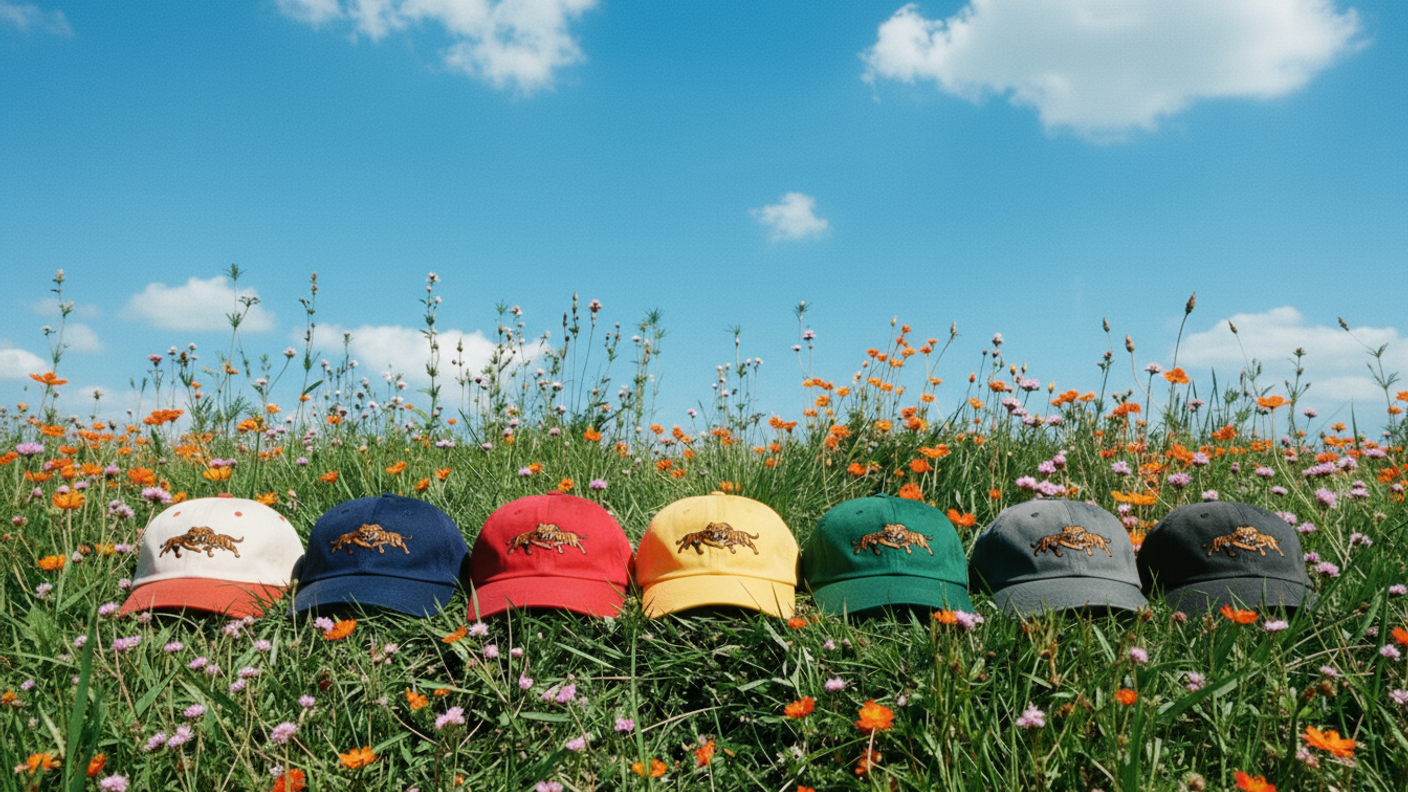
Recovery Strategy
When a prompt fails, don't immediately rewrite everything. Identify the specific element that's problematic—is it the composition, lighting, subject rendering, or style interpretation?
Adjust only that component and regenerate. This systematic troubleshooting builds your understanding of how prompt elements interact.
Conclusion
Mastering AI image prompting is a skill that compounds over time. Each generation teaches you something about how AI models interpret language, how specific terms influence output, and how different prompt components interact to create cohesive results.
The core principles covered in this guide—subject specificity, style definition, compositional control, lighting description, and technical specifications—apply across all AI image generation platforms.
These fundamentals will serve you regardless of which tools you use or how the technology evolves.
But technical skill only takes you so far. The real transformation comes from tools that amplify your creative control rather than limiting it. This is where platforms like LTX Studio distinguish themselves from basic image generators.
Multi-reference prompting eliminates the frustration of describing complex visual concepts purely through text. FLUX & Nano Banana Pro ensures your outputs meet professional quality standards without excessive iteration.
For professional creators—whether you're developing brand campaigns, producing video content, or building visual narratives—the choice of platform matters as much as prompting skill. Generic image generators produce isolated assets.
Professional platforms like LTX Studio produce production-ready content integrated into your complete creative workflow.
The gap between amateur and professional AI-generated content isn't just prompt quality. It's the combination of skilled prompting with professional-grade tools that provide the control, consistency, and integration modern creative work demands.
AI Image Prompt FAQs
What makes a good AI image prompt?
A good AI image prompt combines specificity with clarity across multiple dimensions: subject description, visual style, composition, lighting conditions, color palette, and technical specifications. The best prompts balance detail with flexibility, providing enough guidance for the AI to understand your vision without over-constraining creative interpretation. Include negative prompts to filter unwanted elements and maintain consistent terminology when generating related images.
How long should AI image prompts be?
Effective prompts typically range from 15-50 words, though complexity varies by project. Focus on density rather than length—every word should contribute meaningful direction. A concise, well-structured 20-word prompt usually outperforms a rambling 100-word description. Organize your prompt logically: subject first, then style and composition, followed by lighting and technical details.
Can I use reference images with text prompts?
Many advanced platforms, including LTX Studio, support combining reference images with text prompts for superior control. Reference images communicate visual concepts more precisely than text alone, particularly for style, composition, and mood. LTX Studio's multi-reference system allows you to upload separate references for different aspects of your image—one for character design, another for artistic style, and a third for lighting mood—creating unprecedented creative precision.


Maximize your creative potential with AI-powered tools
Maximize your creative potential with AI-powered tools





%20(1).jpeg&description=Learn how to write effective AI image prompts with real examples. Improve accuracy, style, and creativity across today’s top image models.)





.png)



