


Transform image into video with AI
Turn any image into production-ready video. For teams building visual content at scale, no video production required.






Instant video creation
Easily create videos using AI photo to video technology. Whether generated, sketched, or uploaded, transform static visuals into dynamic videos in seconds.

Complete creative control
Fine-tune every aspect of creation – from motion and timing to effects and transitions – ensuring every output meets brand guidelines and creative specs.

Complete audio-visual output
Add music and sound effects to deliver fully produced assets, ready for review or deployment.
Turn static images into AI-powered videos
Convert images into dynamic video sequences using advanced AI picture to video technology. Generate professional-quality content while streamlining your workflow and maintaining creative freedom.

Master every movement
Give your team precise control over output, adjust camera angles, motion, and keyframes to hit exact creative specs.
Fully customizable style settings
Lock in brand style using presets or uploaded references, ensuring every video asset stays visually on-brand across campaigns. Duplicate shots and let your creativity flow as you explore the possibilities with AI image tools.
Advanced AI scene editing
Add or remove elements/details from your assets with precision using AI photo to video technology. Perfect your generated, uploaded, or digitally sketched content to match your exact vision.
How to convert a photo into a video
Start for Free- 01
Start with an image
Get started by either generating a photo, uploading your own, or sketch out your idea using Composition.
- 02
Experiment with motion
Go to the motion editor to begin turning your still into a proper video.
- 03
Export your video
Choose from MP4 or XML formats when exporting your new video.
- 04
Explore more powerful features that take your vision from concept to final cut.
Discover more features
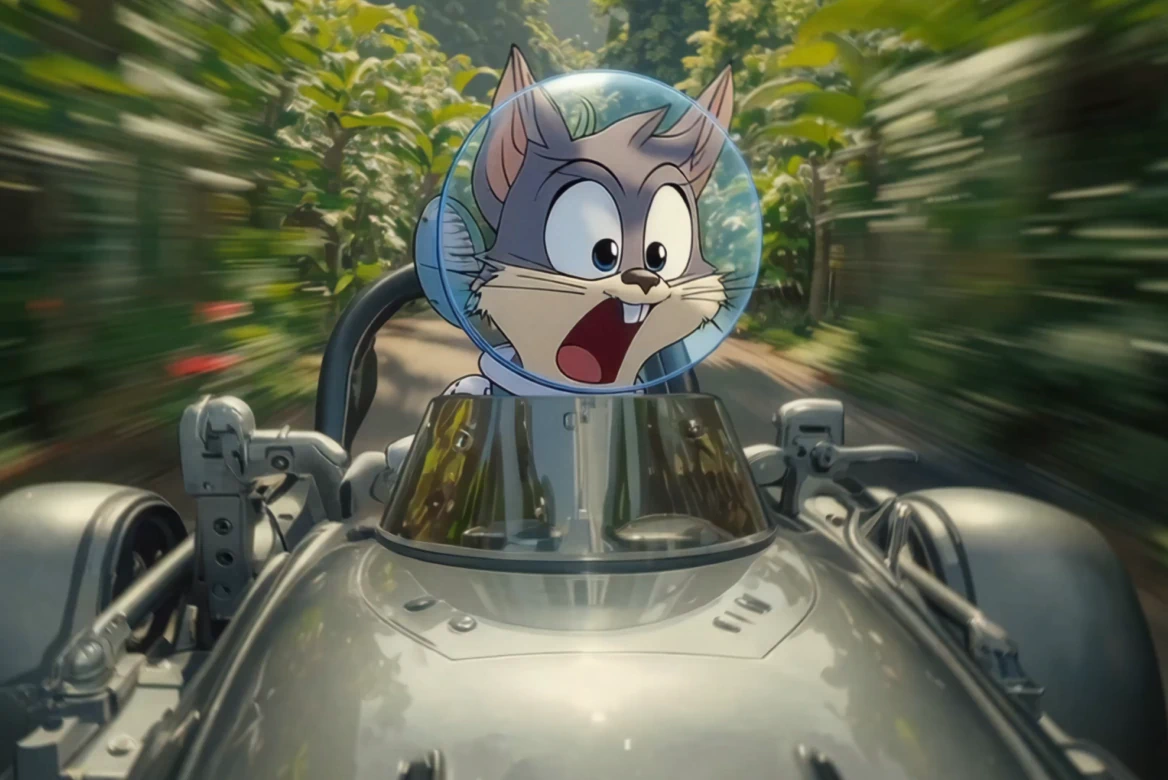
Reference to AI Video
Create consistent AI videos from any reference in seconds with our AI video generator.
Audio to Video
AI-powered tools transform your music, podcasts, and voice recordings into professional visual content.

AI Video Generator
Generate videos instantly with AI. Transform text, images, or scripts into professional-quality videos in seconds.

AI Script Generator
Save time and enhance creativity with AI generated scripts and visuals.

AI Timeline Editor
Edit your videos with AI-driven tools designed for cutting, trimming, and enhancing your project.

AI Image Generator
Learn how LTX Studio can help you turn text into images, streamlining your content creation workflow.

Add Sound to Video
Bring your videos to life by adding music, audio effects, and clear voiceovers.

Animation Generator AI
Use LTX Studio to create customized animations generated by AI.

Movie Pitch Deck Generator
Generate polished pitch decks for movies and tv shows to easily visualize your creative idea.

AI Storyboard Generator
Discover how to create your own storyboard with AI and scale your pre-production process.

Animatics Maker
Make an animatic for your next creative project using the power of AI.

Video Shot Editor
Edit your video, shot by shot, for the utmost control over your project.

Script to Video
Starting a project has never been easier with LTX Studio’s script to video generator, just upload your text to get started.

AI Character Generator
Create characters with AI and build out your dream cast for each and every project.
AI Text to Video
Learn how you can generate video from text prompts with ease using AI.
FAQs
How does LTX Studio's image to video AI generator work?
LTX Studio's Image to Video AI Generator utilizes advanced artificial intelligence to transform static images into dynamic videos. By analyzing the content and context of your images, the AI generates smooth motion transitions and visual effects, bringing your still photos to life. This process is designed to be user-friendly, allowing creators of all skill levels to produce engaging video content effortlessly.
What types of images can I upload?
LTX Studio supports a variety of image formats, including JPG and PNG. Whether you're using the image to video AI free tier or paying for more computing time, you can seamlessly upload high-quality images to control each and every step of your project.
Is there a limit on the number of images I can upload?
No, there’s no strict limit on the number of images you can upload. The platform's AI photo to video online tool allows you to work with multiple images to create smooth, professional-quality videos.
Is it possible to use image to video AI on mobile devices?
As LTX Studio was designed for more professional use cases, the platform is only available on desktop.
Can I turn a JPG to MP4 with LTX Studio?
Absolutely! LTX Studio makes it easy to turn a JPG into an MP4 with its intuitive image to video AI free tools. Simply upload your JPG or PNG files, and the platform will guide you through creating a dynamic video in MP4 format.
Is LTX Studio an image to video free tool?
Yes, LTX Studio offers a free plan that lets you start converting images to videos immediately. You can explore our AI image to video features and create content without any upfront cost, with paid plans available as your needs scale.
Is LTX Studio an image to video online generator?
Yes, it's a browser-based platform accessible from any desktop computer. Simply visit LTX Studio and begin transforming images into videos without downloading applications or plugins.
Enterprise AI Video, Built for Scale
LTX Studio is an enterprise-grade AI video production platform that helps teams develop, produce, and deliver across modern, scalable workflows.
.png)



