.png)

- Powered by Google Gemini 3 for high quality, production ready image generation inside LTX
- Native 4K output with sharp text rendering and real world visual accuracy
- Full multimodal control using prompts, references, and annotation based edits
- Seamlessly move from image to storyboard to LTX 2 video without leaving your workspace
- Built for professional workflows: brand consistency, character continuity, and campaign ready assets
What Makes Nano Banana Pro Different in LTX
Nano Banana Pro brings Google's Gemini 3-powered image generation directly into the Gen Space, combining precision editing with LTX's end-to-end creative platform. Generate professional-grade images, refine them with multimodal control, and bring them to life with LTX-2 video—all without leaving your workspace.
.jpeg)
Core Capabilities:
- Native 4K Resolution: Production-ready visuals for broadcast, print, and large-format display
- Multimodal Editing: Refine with natural language, image references, or annotations—no re-rolls needed
- Superior Text Rendering: Sharp, legible typography in multiple languages with pixel-perfect clarity
- Advanced Reasoning: Generates scenes that respect real-world physics, perspective, and spatial relationships
- Character Consistency: Maintain identity across multiple shots for cohesive campaigns and storyboards
- Seamless LTX Integration: Move from image to video, save as Elements, and build complete storyboards
How to Access Nano Banana Pro in LTX
- Navigate to Gen Space from any project or the LTX homepage
- Select Nano Banana Pro from the image model dropdown
- Enter your prompt with composition, style, and technical details
- Add references (optional): Upload images or use annotations for precise control
- Generate and edit: Create your image, then refine conversationally without starting over
- Integrate into workflow: Save as Element, add to Storyboard, or use as first frame for LTX-2 video
The Nano Banana Pro Mindset: Edit, Don't Re-roll
Unlike traditional image generators, Nano Banana Pro excels at understanding conversational edits. If an image is 80% correct, never regenerate from scratch—refine what you have.
Traditional approach: Generate → Dislike result → Re-prompt → Generate again → Repeat
Nano Banana Pro approach: Generate → Evaluate → "Keep the composition but change lighting to golden hour" → Refine → Done
This edit-first workflow saves time and maintains your successful elements while adjusting only what needs to change.
How to Prompt Nano Banana: Core Framework
The 6 Essential Elements
Every effective Nano Banana Pro prompt includes these components:
1. Subject
Define who or what appears in the image with specific characteristics.
- Weak: "a woman"
- Strong: "a confident entrepreneur in her early 40s with shoulder-length dark hair"
2. Composition
Specify camera framing, angles, and shot types.
- Examples: "close-up shot," "wide-angle view," "low-angle perspective," "overhead composition"
3. Action
Describe what's happening in the scene.
- Examples: "reviewing analytics on tablet," "presenting to clients," "preparing ingredients"
4. Setting
Establish the environment and context.
- Examples: "modern glass-walled office," "industrial kitchen at golden hour," "minimalist studio backdrop"
5. Style
Define the visual aesthetic and mood.
- Examples: "cinematic editorial style," "clean product photography," "lifestyle documentary approach"
6. Technical Specifications (Advanced)
Add camera and lighting details for professional control.
- Examples: "shot with 85mm f/1.8 lens," "soft window light from left," "shallow depth of field"

Basic Prompt Structure
[SUBJECT] + [ACTION] in [SETTING], [COMPOSITION], [STYLE]
Example: "Marketing executive presenting to clients in modern conference room, wide shot showing full space, cinematic corporate style with natural lighting"
Advanced Prompt Structure
For professional-grade results, use this Nano Banana prompt builder framework
[SUBJECT + DETAILS] + [ACTION] in [SETTING + ENVIRONMENT],
[COMPOSITION + CAMERA], [LIGHTING + MOOD], [STYLE + QUALITY]
Example: "Female entrepreneur in navy blazer reviewing analytics on tablet in glass-walled corner office with city skyline visible, medium close-up from slightly elevated angle, shot with 85mm lens at f/2.8, warm morning light creating soft shadows, professional editorial style with rich color and sharp focus"
Multimodal Reference Control
Nano Banana Pro supports multiple reference images with role assignment—specify exactly what each reference controls.
How Reference Assignment Works in LTX
- Upload reference images in the Gen Space (up to 14 images, 6 with high fidelity)
- Assign specific roles in your prompt to each reference
- LTX interprets the combination based on your instructions
Reference Roles You Can Assign
- Identity/Character: Facial features, body type, distinctive characteristics
- Pose/Composition: Body position, gesture, spatial arrangement
- Style/Aesthetic: Color palette, visual treatment, artistic approach
- Lighting/Atmosphere: Light direction, mood, environmental tone
- Environment/Background: Setting, location, contextual elements
Example Prompts with Multiple References
Two References: "Use Image A for the person's facial features and identity, Image B for the pose and body position. Place them in a modern office environment with natural window lighting, professional corporate style"
Three References: "Maintain the character identity from Image A exactly as shown. Apply the lighting and color palette from Image B. Use the interior design aesthetic from Image C for the background setting. Shot as professional lifestyle photography"
Professional Workflow: "Keep facial features from Image A with 100% accuracy. Adopt the fashion styling and outfit from Image B. Place in the environment shown in Image C but adjust lighting to golden hour. Create cohesive editorial campaign aesthetic"
.png)
Annotation-Based Editing in LTX
Annotation editing gives you precise control over specific image areas without affecting the rest of the composition—one of Nano Banana Pro's most powerful features inside LTX.
How Annotation Works
In the Gen Space, you can mark specific areas of your image and provide targeted instructions for those regions only. The model understands spatial relationships and applies edits with surgical precision.
Best Use Cases for Annotations
- Selective object replacement: Change one element while preserving everything else
- Localized lighting adjustments: Modify shadows or highlights in specific areas
- Background transformations: Swap environments without re-generating the subject
- Detail refinement: Enhance texture, color, or clarity in marked regions
- Compositional adjustments: Move, scale, or reframe specific elements
Annotation Prompt Examples
Background Replacement: "[Mark background area] Replace this background with a minimalist concrete wall, maintain all lighting and shadows on the subject"
Object Addition: "[Mark empty desk area] Add a laptop and coffee cup in this space, matching the existing lighting and perspective"
Selective Color Adjustment: "[Mark product area] Change only this product to navy blue while keeping all other colors and textures identical"
Lighting Modification: "[Mark left side of face] Add subtle rim lighting from this direction, creating soft edge definition without affecting overall exposure"
Annotation-based editing reduces iteration cycles and maintains continuity—critical for professional workflows where consistency matters.
Nano Banana Pro Prompting by Professional Use Case
Product Photography
Create e-commerce and campaign-ready product visuals with commercial polish.
Structure: "[Product] on [surface], [lighting], [style]"
Examples:
- "Luxury skincare serum on white marble with soft window light from left, clean minimalist aesthetic"
- "Athletic running shoe on geometric podium with studio lighting, modern e-commerce style"
- "Artisan coffee bag on weathered wood with scattered beans, warm lifestyle photography"
Pro Tips:
- Specify materials precisely: "brushed aluminum," "matte ceramic," "glossy acrylic"
- Control shadows: "soft contact shadow," "no shadows," "dramatic side shadows"
- Add context sparingly: "minimal greenery," "subtle texture," "clean negative space"

Text Rendering & Brand Assets
Nano Banana Pro delivers pixel-perfect text—ideal for mockups, social content, and branded materials.
Text Rendering Rules:
- Use quotation marks for exact text: "The text reads 'LAUNCH SALE'"
- Specify typography: "bold sans-serif," "elegant serif," "modern geometric font"
- Define placement: "centered at top," "bottom left corner," "integrated into layout"
- Keep concise: 3-5 words maximum for reliable rendering
Examples:
- "Product packaging with text 'ORGANIC BLEND' in minimalist sans-serif, centered on white box"
- "Billboard featuring 'SAVE 40%' in bold red typography with white outline, retail aesthetic"
- "Business card design with 'STUDIO CREATIVE' in sophisticated serif font, minimal professional layout"
For Brand Guidelines: "Generate social post template maintaining brand aesthetic: navy and gold palette, modern sans-serif typography, text reads 'NEW COLLECTION,' editorial style with ample white space"
Portrait & Character Consistency
Create characters that maintain identity across multiple shots—essential for campaigns and video storyboards.
Character Consistency Strategy:
- Define distinctive features: "woman with small scar above left eyebrow," "man with rectangular silver glasses"
- Use character tokens: "Character-Maya-wearing-blue-jacket"
- Reference previous shots: "Same person from previous image, now in different setting"
Examples:
- "Professional woman in late 30s with warm smile and dark wavy hair, wearing casual cream sweater, natural side lighting, lifestyle editorial"
- "Executive in his 40s with short gray hair and confident expression, navy suit, clean studio backdrop, corporate headshot style"
For Storyboards: Generate your establishing shot, save to Elements, then reference: "Use character from Element [name], now shown in medium close-up during phone conversation, same outfit and lighting continuity"
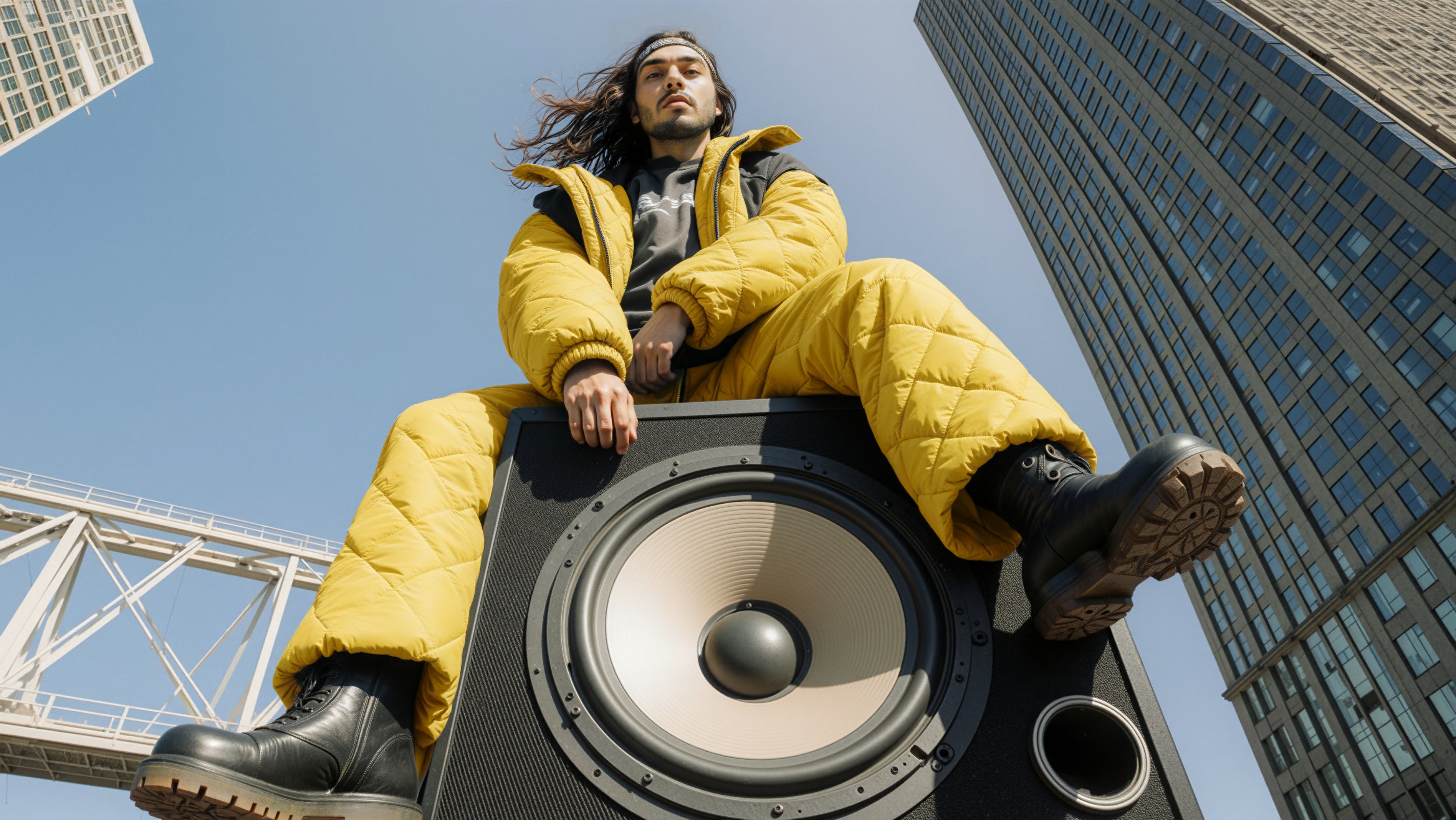
Lifestyle & Environmental Photography
Capture authentic moments with editorial polish.
Structure: "[Person/people] [action] in [environment], [composition], [lighting/mood]"
Examples:
- "Young professional working on laptop at outdoor cafe, shallow depth of field with blurred pedestrians, warm afternoon light, natural lifestyle aesthetic"
- "Team collaborating around conference table in modern office, wide shot showing glass walls and city view, professional documentary style"
- "Chef arranging ingredients on marble counter, overhead composition showing workspace, bright natural food photography"
Photography & Technical Language
Lens & Focal Length
Different focal lengths create distinct visual perspectives:
- Wide-angle (18-35mm): Expansive scenes, environmental context, dynamic perspective
- Standard (50mm): Natural perspective matching human vision, versatile for most scenes
- Portrait (85-135mm): Flattering compression, subject isolation, professional headshots
In prompts: "shot with 85mm lens" or "wide-angle 24mm view"
Aperture & Depth of Field
Control what's in focus to direct viewer attention:
- Shallow (f/1.4-f/2.8): Subject isolation, blurred background, cinematic look
- Medium (f/4-f/5.6): Balanced focus for environmental context
- Deep (f/8-f/16): Everything sharp, ideal for product details or landscapes
In prompts: "shallow depth of field at f/1.8" or "deep focus keeping entire scene sharp"
Lighting Terminology
- Golden hour: Warm, soft light at sunrise or sunset
- High-key: Bright, minimal shadows, optimistic mood
- Low-key: Dramatic shadows, moody atmosphere
- Rim lighting: Backlight creating edge glow and separation
- Three-point lighting: Professional studio setup with key, fill, and rim
Example: "Golden hour rim lighting creating warm edge glow with soft shadows"
Shot Types & Angles
- Close-up (CU): Face or product detail
- Medium shot (MS): Waist up, conversational framing
- Wide shot (WS): Full scene showing environment
- Low angle: Camera below subject (power, authority)
- High angle: Camera above subject (overview, context)
- Eye level: Natural, neutral perspective
.jpeg)
Conversational Editing Workflows
The Multi-Step Refinement Process
Step 1: Generate Base Image
Create foundation with core composition and style.
Step 2: Evaluate Strategically
Identify what works and what needs adjustment—be specific.
Step 3: Apply Targeted Edits
"Keep the subject and composition but change the background to industrial loft setting"
Step 4: Fine-Tune Details
"Increase contrast slightly and warm up the color temperature"
Step 5: Save to Elements
Store final result in Elements library for reuse across projects.
Effective Edit Prompts
Lighting adjustments: "Keep everything identical but add warm golden hour lighting from the right"
Background changes: "Maintain the subject perfectly but replace background with minimalist gray studio backdrop"
Style shifts: "Preserve the composition but apply cinematic color grading with teal-orange palette"
Object modifications: "Keep the scene but remove the laptop from the desk and fill naturally"
Integration with LTX-2 Video
Nano Banana Pro becomes exponentially more powerful when paired with LTX-2 for complete visual narratives.
Image-to-Video Workflow
- Generate hero frame in Nano Banana Pro with precise composition
- Save as Element to maintain consistency across multiple shots
- Use as starting frame for LTX-2 video generation
- Apply motion while preserving your established visual style
- Build complete sequences in the Timeline with cohesive aesthetics
Example Workflow:
- Generate product shot with Nano Banana Pro (clean composition, perfect lighting)
- Save to Elements library as "Product-Hero-Shot"
- Create LTX-2 video starting from this frame (add gentle rotation and camera push)
- Reference same Element for additional shots to maintain brand consistency
- Build complete product reveal sequence in Timeline
Storyboard Development
Use Nano Banana Pro to create consistent visual narratives frame by frame:
- Generate establishing shot and save as Element
- Create subsequent frames referencing previous Elements for character consistency
- Arrange in Storyboard to visualize complete sequence
- Generate videos from key frames using LTX-2
- Assemble final edit in Timeline
30 Best Nano Banana Prompts by Category
Product Photography (1-8)
- "Luxury perfume bottle on reflective black surface with dramatic spotlight, premium cosmetics advertisement aesthetic"
- "Organic skincare jar on marble countertop with natural window light, shallow depth of field, spa-inspired product photography"
- "Athletic sneaker on geometric 3D platform with clean studio lighting and subtle shadow, modern e-commerce style"
- "Specialty coffee bag on rustic wooden surface with scattered beans, warm lifestyle product photography with soft focus background"
- "Tech smartwatch on minimalist display with soft gradient backdrop, clean shadows, premium electronics photography"
- "Sustainable water bottle in outdoor setting with morning light, eco-friendly lifestyle aesthetic with natural bokeh"
- "Designer handbag on marble pedestal with side lighting and macro detail, luxury retail editorial style"
- "Artisan chocolate bar with dramatic lighting showing texture detail, gourmet food photography with rich colors"
Corporate & Professional (9-14)
- "Executive team in modern conference room during presentation, wide shot showing glass walls and city skyline, professional corporate photography"
- "Professional woman reviewing documents at standing desk in contemporary office, natural window lighting from left, lifestyle business aesthetic"
- "Remote worker on video call in home office with clean background, authentic work-from-home documentary style"
- "Team collaboration around digital whiteboard in creative workspace, dynamic angle showing engagement, modern workplace photography"
- "Professional headshot with neutral studio backdrop, even three-point lighting, corporate portrait style with confident expression"
- "Business traveler working on laptop in modern airport lounge, cinematic corporate lifestyle with depth of field"
Content Creation & Marketing (15-20)
- "Social media flat lay with smartphone showing app interface, styled desk accessories, modern digital content aesthetic"
- "Product lineup showing multiple SKUs on white seamless backdrop, clean catalog photography with consistent lighting"
- "Instagram story template with text 'NEW DROP' in bold typography, trendy graphic design with brand colors"
- "Email marketing hero image with promotional text '40% OFF' integrated naturally, retail campaign aesthetic"
- "Brand identity showcase featuring business card, letterhead, and logo variations, professional corporate collateral"
- "Podcast recording setup with microphone and headphones, warm mood lighting, content creator lifestyle aesthetic"
Food & Culinary (21-23)
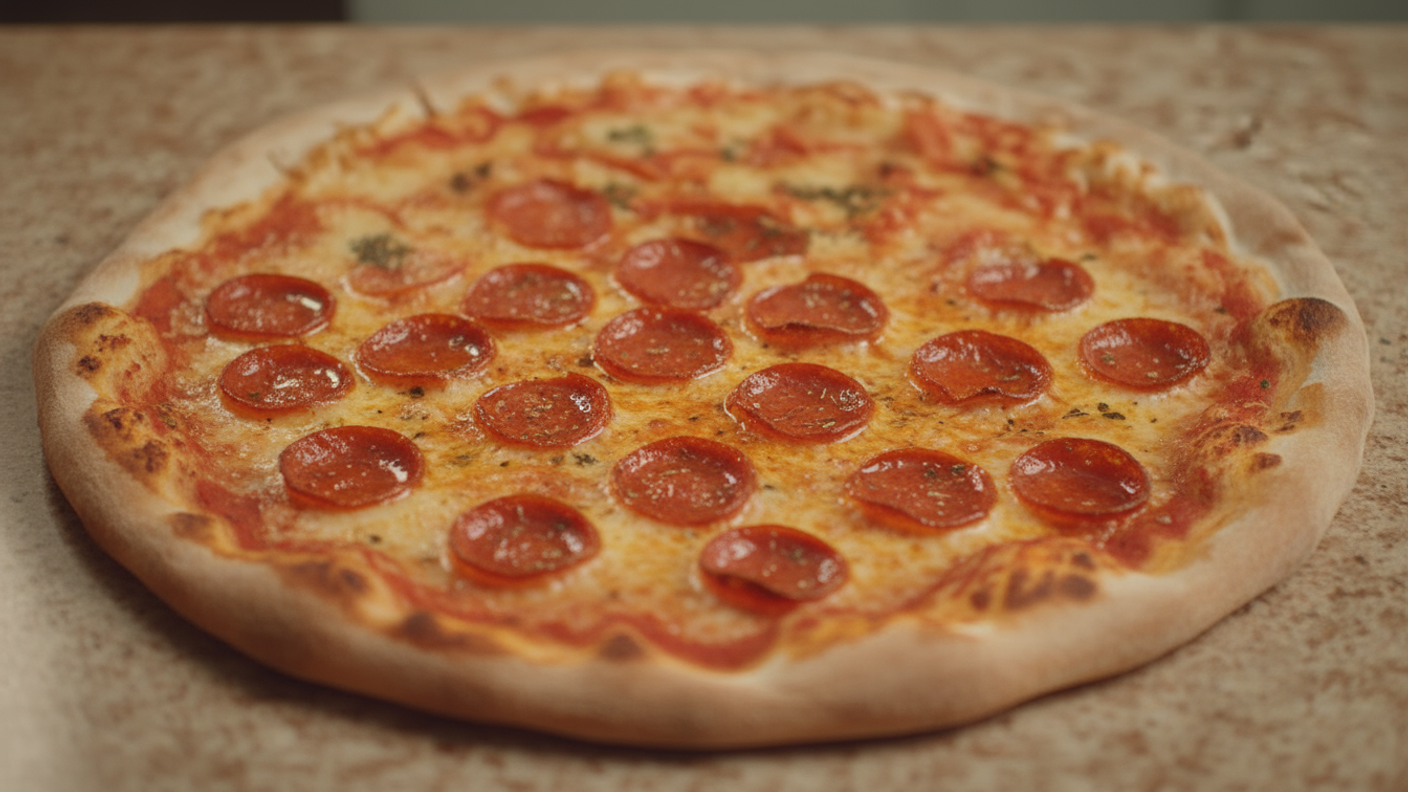
- "Gourmet burger with visible layers, dramatic food photography with shallow depth of field, professional culinary styling"
- "Fresh ingredients in overhead flatlay composition on white marble, clean food styling with natural shadows"
- "Barista pouring latte art in ceramic cup, close-up with soft natural cafe lighting, artisan coffee shop aesthetic"
Lifestyle Editorial (24-27)
- "Woman reading in cozy window seat with afternoon light streaming through, intimate lifestyle moment with soft tones"
- "Fitness enthusiast mid-workout in modern gym, dynamic action shot with dramatic lighting and motion implied"
- "Urban cyclist on city street with motion blur background, energetic street photography style showing movement"
- "Traveler exploring cobblestone street in historic district, authentic travel photography with natural documentary approach"
Interior & Architecture (28-30)
- "Modern minimalist living room with floor-to-ceiling windows and neutral palette, professional architectural photography with clean lines"
- "Scandinavian home office with natural wood desk and plants, soft natural lighting, professional interior design aesthetic"
- "Cozy bedroom with layered textiles and warm ambient lighting, lifestyle interior photography with inviting atmosphere"
Common Nano Banana Pro Prompt Challenges & Solutions
Issue: Text Rendering Inconsistencies
Solutions:
- Limit to 3-5 words maximum
- Use quotation marks for exact spelling
- Specify font characteristics clearly
- For critical applications, add text in post-production
Issue: Composition Not Matching Vision
Solutions:
- Explicitly state shot type (close-up, wide, medium)
- Include camera angle (low, high, eye-level)
- Describe spatial relationships clearly
- Use photography terminology (rule of thirds, centered, off-center)
Issue: Lighting Doesn't Match Expectation
Solutions:
- Specify light direction (from left, backlit, overhead)
- Define light quality (soft, hard, dramatic, natural)
- Include time of day references
- Mention specific setups (three-point, rim lighting, golden hour)
Issue: Inconsistent Results Across Iterations
Solutions:
- Use the refinement approach, not complete re-generation
- Save successful results as Elements for reference
- Be more specific with technical details
- Include style references in your prompt
Best Practices for LTX Workflows
Save to Elements Early
When you generate an image you might reuse, save it immediately to Elements. Reference it in future prompts to maintain visual consistency across your project.
Build Storyboards First
Before generating video, create your key frames in Nano Banana Pro and arrange them in Storyboard. This lets you visualize pacing and ensure continuity.
Use Annotations for Precision
When only one aspect needs adjustment, use annotation editing rather than conversational prompts. It's faster and more predictable.
Reference Previous Outputs
When creating sequences, explicitly reference earlier frames: "Same character from previous shot, now shown in close-up with different expression"
Leverage Elements for Brand Consistency
Store brand assets (logo lockups, color palettes, style references) as Elements. Reference them in prompts to maintain cohesive brand identity across all generated content.
Next Steps: From Concept to Final Video
Nano Banana Pro in LTX gives you precision without sacrificing speed. Your complete workflow:
- Generate precise images in Gen Space with Nano Banana Pro
- Refine conversationally using edits and annotations
- Save to Elements for reuse across projects
- Build storyboards to visualize complete narratives
- Generate videos using images as starting frames with LTX-2
- Assemble in Timeline for final editing and export
From concept to final asset, you have the tools to focus on storytelling, not troubleshooting.
Ready to create? Open the Gen Space and start with Nano Banana Pro today.


Maximize your creative potential with AI-powered tools
Maximize your creative potential with AI-powered tools




.png&description=Discover Nano Banana Pro AI image generation. Learn prompting tips, features, and techniques to create high-quality visuals fast and efficiently.)



.png)



